
Project Director is the strategic project & portfolio management platform: objectives, KPIs, portfolios, programmes, projects, ideas, resource capacity, RAG status and budget in one place. No stitching tools together to get a straight answer.
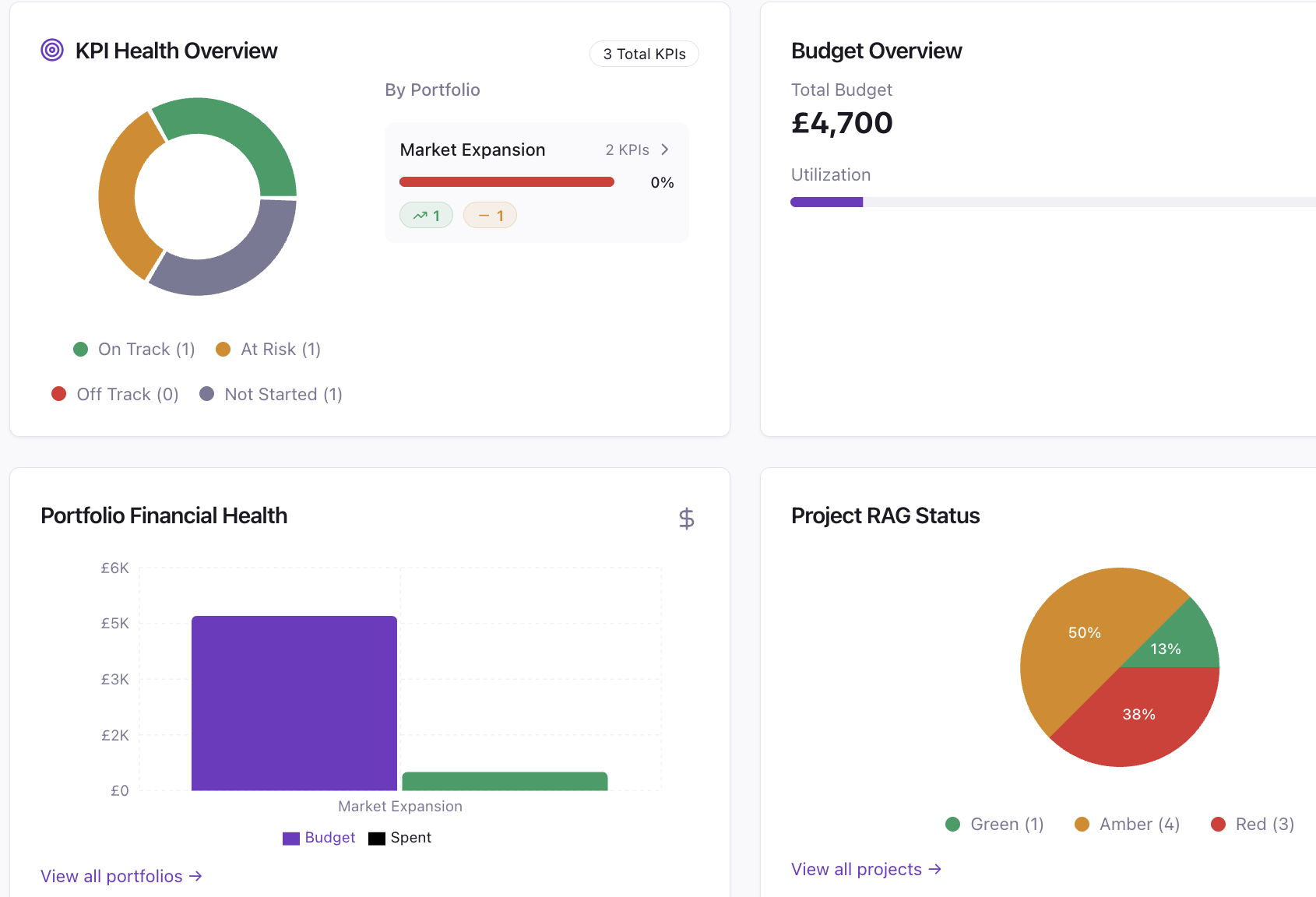
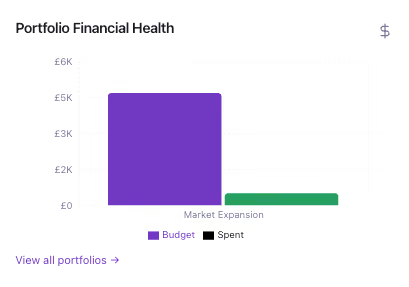
The Home dashboard surfaces objectives health, KPI status, budget against spend, portfolio financial health, projects at risk and RAG status across the organisation the moment you sign in. Customise it to show the data that matters to you, rather than the data a generic tool decided to display.
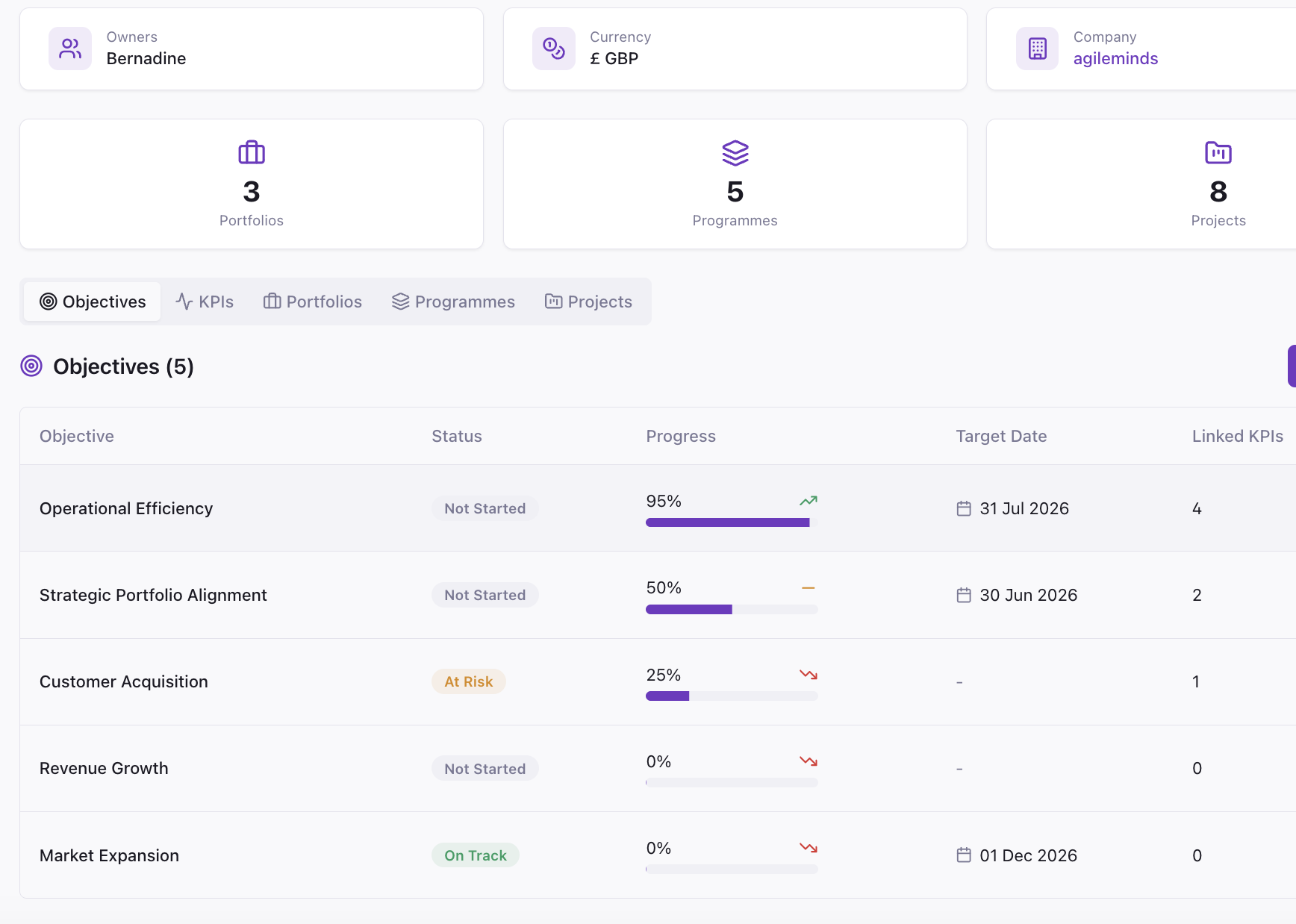
Define a strategic objective, attach the KPIs that measure it, then link the portfolios and programmes that deliver it. Each KPI carries a category, an owner, a measurement frequency and a status. Every project inherits a reason to exist, or it doesn't get funded.

A portfolio groups the programmes and projects that serve one strategic outcome. See status, project counts, budget and health across the whole portfolio. Business units carry their own objectives, KPIs and reporting currency, so the hierarchy bends to your structure rather than the other way round.

Milestones, tasks, risks and budgets sit inside the programme and portfolio above them, so every project can be traced back to the objective and KPI it serves. The team always knows why the work matters, and the PMO can show what the delivery contributed.

Capture ideas with a type and description, score them for alignment against portfolio objectives, and set each to Draft, Under Review, Approved or Rejected. Nothing consumes budget or headcount until it clears the gate, so only the right work makes it through.
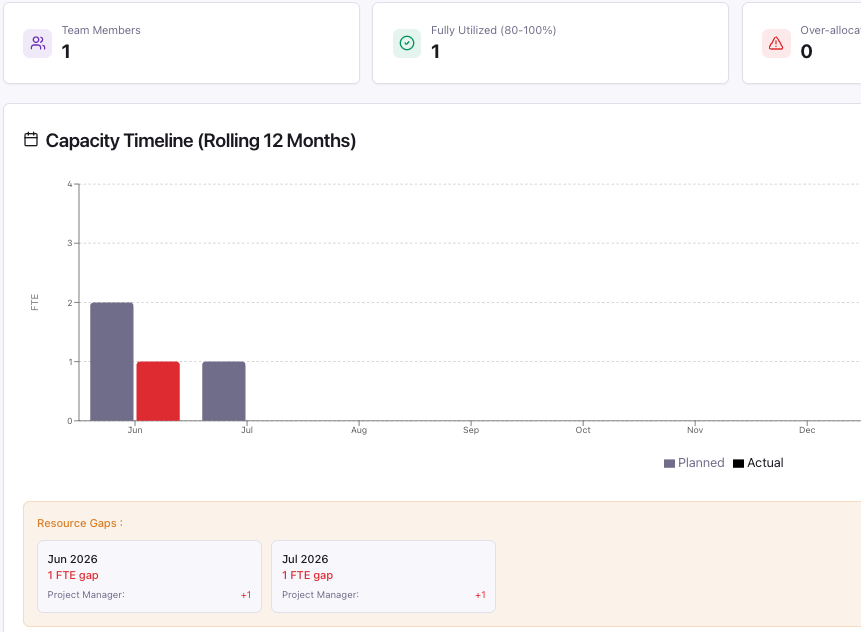
A rolling twelve-month view of who is allocated where across every active project, filterable by role, with counts for fully utilised and over-allocated people. You see the constraint forming while there is still time to act on it.
Build alternative versions of a portfolio, adding or removing projects, ideas and people, and test each one against budget and resource capacity at the same time. A portfolio can be fully funded and still undeliverable, and this is where you find out. Start from a budget ceiling and work backwards, then promote the version you want so it becomes the live portfolio and reports everywhere else.
Your development teams run scrums and sprints in Jira, and Project Director does not try to move them. Link a project to its Jira board and the current sprint, velocity, burndown and blocked work appear inside Project Director. A PMO dashboard rolls every linked project into one view, with schedule and risk scored separately, and sync health reported alongside delivery status so you know whether the data can be trusted.
Click through the rest, board-level governance down to the view your team works in.
Track how a portfolio has moved, week on week, and share it upward in language the board reads, strategic alignment, not task counts.

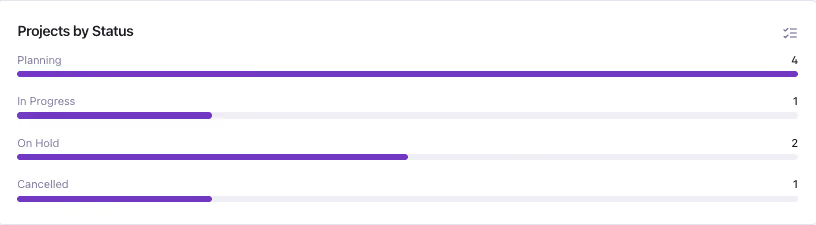
Surface risks early, assign owners, and track the path back to green. Nothing stays hidden until the review.
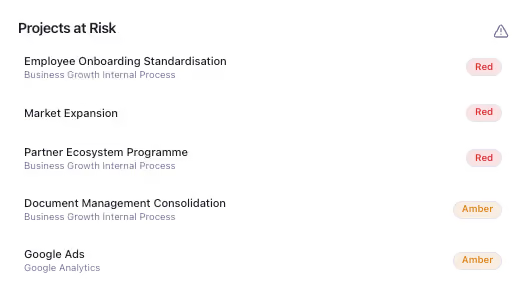
Give the PMO the controls to gate ideas, enforce structure, and keep delivery honest, so governance becomes a strategic function, not a reporting one.
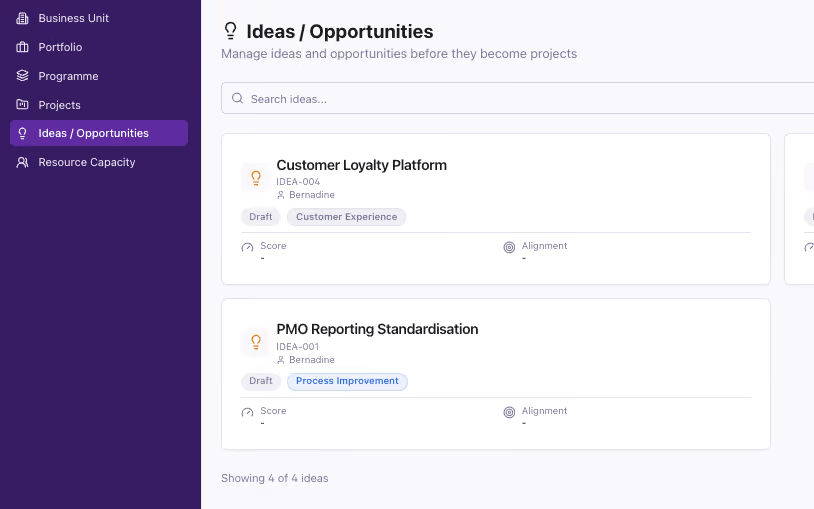
List, kanban or timeline — switch to whatever fits the work in front of you. The data underneath stays the same.
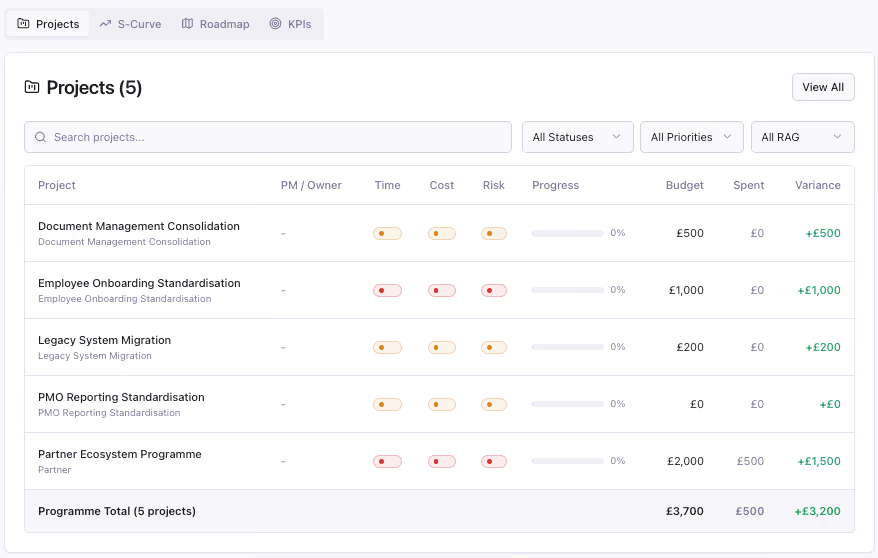
Budget versus actual at portfolio, programme and project level. Manage the cost and show whether the spend bought any strategic value.
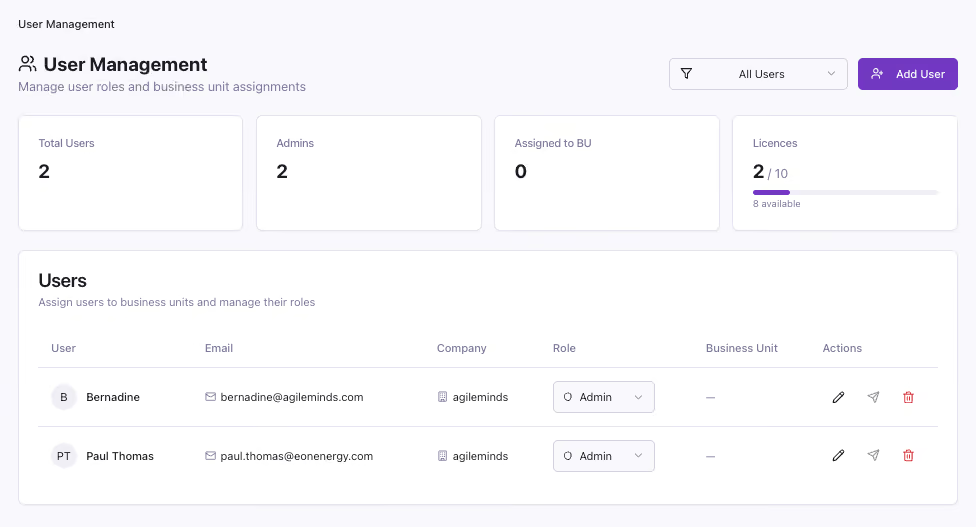
Roles and permissions so the board sees strategy, the PMO sees delivery, and nobody wades through noise they don't need.
Share the full picture of your project's status.
.gif)
Generate a secure, read-only link to any project snapshot and send it straight to a client or stakeholder. No account needed to view your project's status.
See the full update →Does Project Director replace the tools we already use?
No, it replaces the stitching between them. Ideas, roadmaps, Gantt, RAG status, KPIs, budget and role-based access all live in one platform, so you're not exporting from one tool to report in another.
How does the platform connect projects back to strategy?
Every objective gets the KPIs that measure it, then the work that delivers it. A project inherits the strategic context of the programme and portfolio above it, so if it can't be linked to an objective, it doesn't get funded.
Can I structure portfolios and programmes to match how we actually work?
Yes. Group work by strategic outcome, business unit, or however your organisation is structured. The hierarchy bends to fit you, not the other way round.
How do you flag risk and resource overload before they become a crisis?
Risks are surfaced early with an owner and a tracked path back to green. Resource forecasting shows who's allocated where across the next twelve months, so you see a constraint coming while there's still time to act.
Can different people see different views of the same data?
Yes. Roles and permissions mean the board sees strategy, the PMO sees delivery, and teams work in list, kanban or timeline, whichever fits, all pulling from the same underlying data.
Does Project Director track budget as well as timelines?
Yes. Budget versus actual is tracked at portfolio, programme and project level, so you can see whether spend is buying the strategic value it promised.
Start free with one portfolio. No credit card needed.
